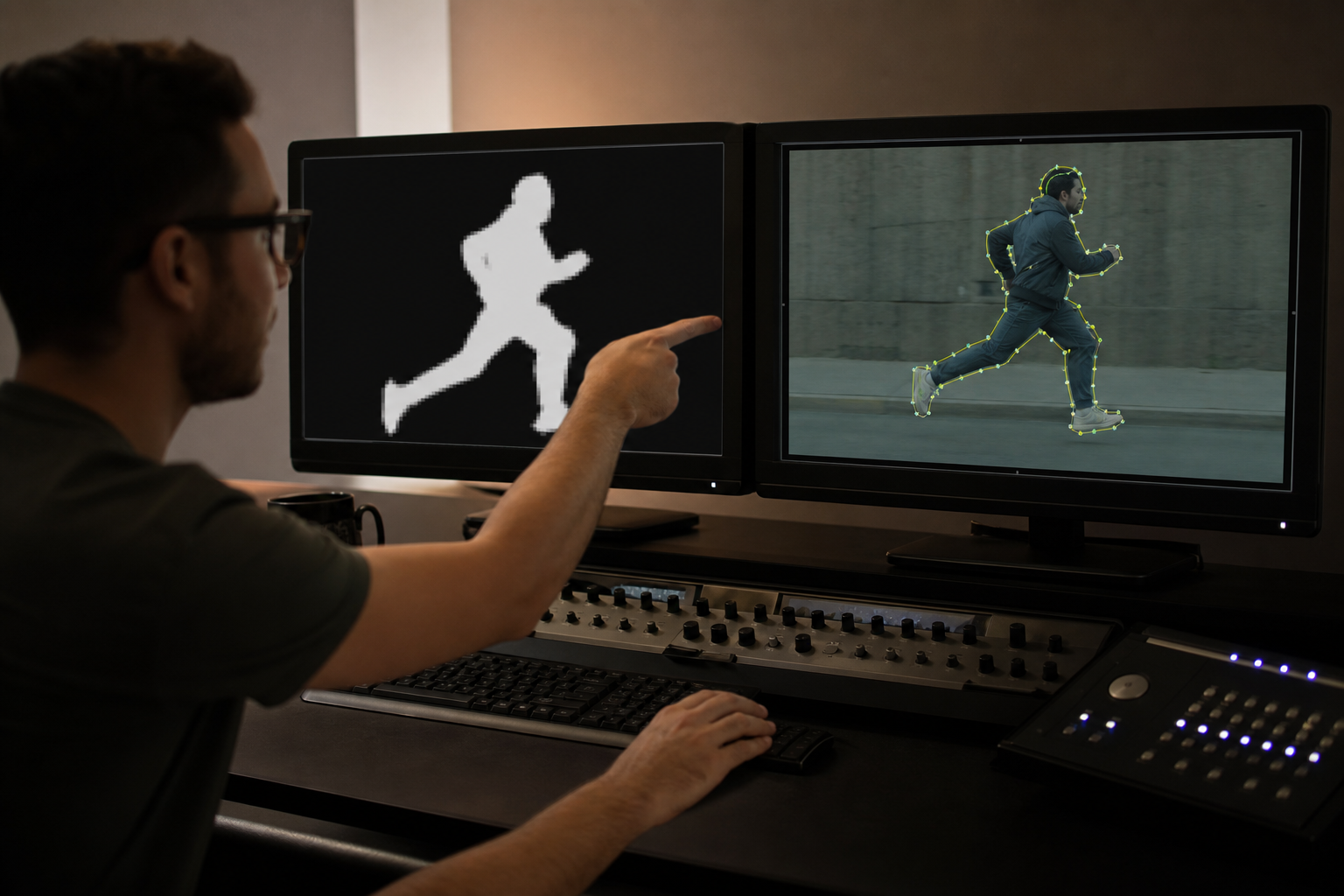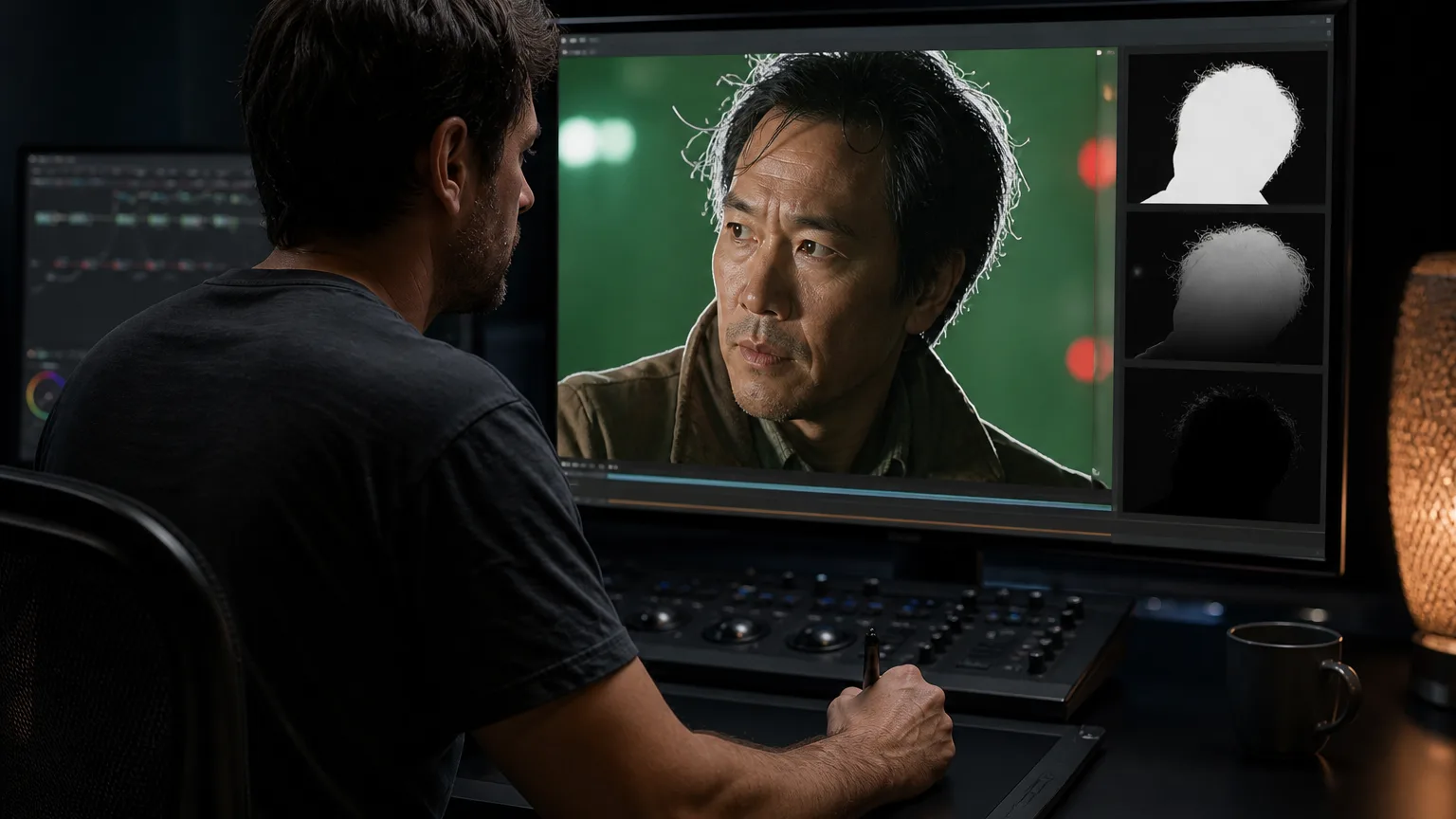
- Rotoscoping isolates moving subjects from backgrounds frame by frame. AI now automates much of the tracing, but manual cleanup is still common.
- Adobe After Effects Roto Brush is the most accessible AI-assisted option for motion designers and video editors.
- Boris FX Silhouette + Mocha Pro is the professional choice for film and high-end VFX, thanks to planar tracking and advanced masking.
- Free options exist. Blender and DaVinci Resolve Fusion can handle basic rotoscoping without a subscription, though they require more manual work.
- Choose based on budget, project complexity, and pipeline. Freelancers and small studios need different tools than feature-film compositors.
What Is Rotoscoping?
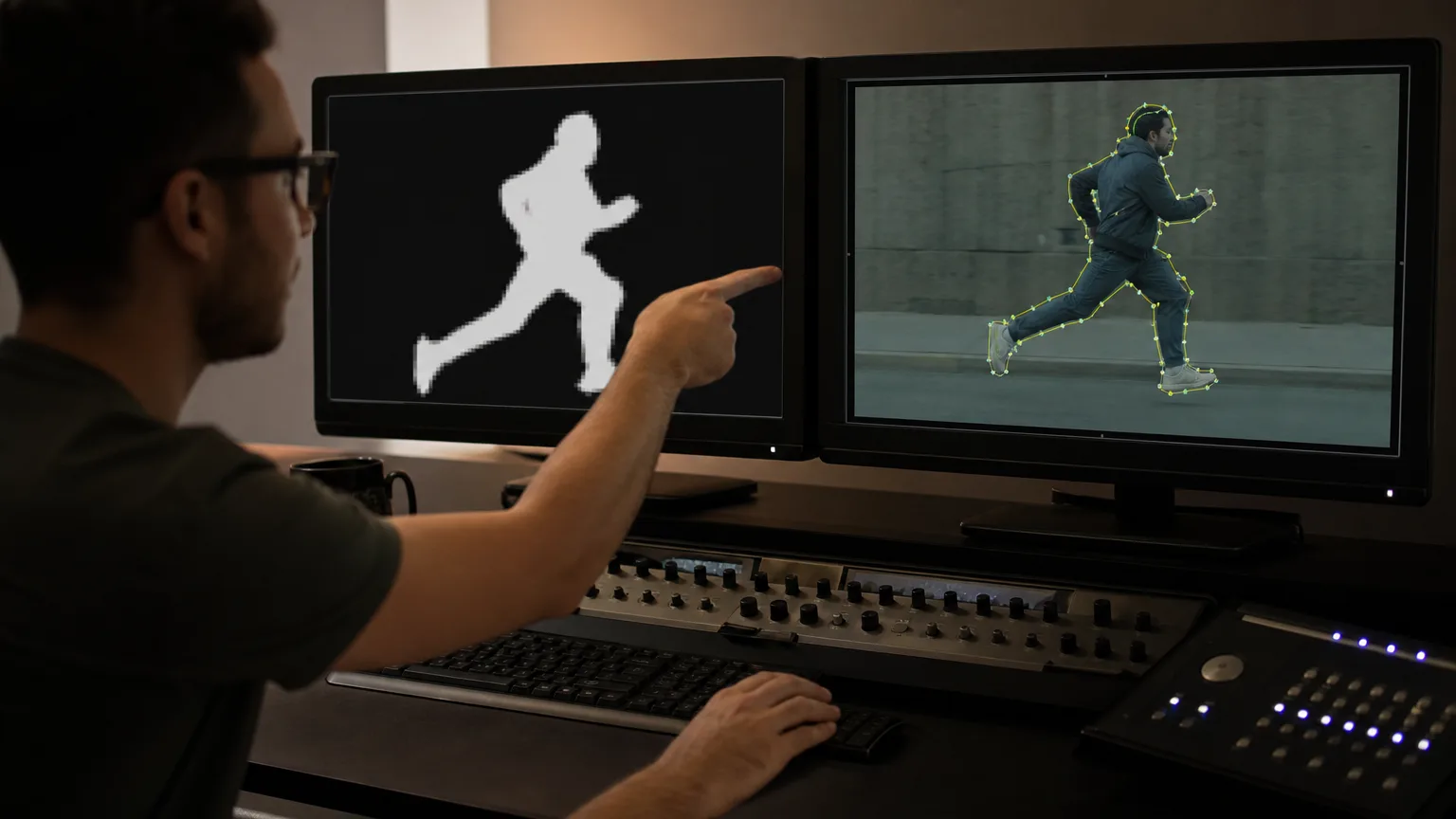
Rotoscoping is the process of tracing over live-action footage to isolate a person, object, or creature so it can be placed on a new background, enhanced with effects, or removed entirely. The technique was pioneered by Max Fleischer in 1915, who projected film onto a glass panel and traced each frame by hand. Classic animated characters like Koko the Clown and Disney's Snow White were created this way (Boris FX).
Today, rotoscoping is digital. Artists draw masks or splines around a subject, and software propagates those shapes across frames. The work is essential in visual effects, music videos, commercials, and social media content. The rise of AI has introduced tools that predict edges, track motion, and reduce the amount of frame-by-frame manual labor required.
How AI Changed Rotoscoping
Traditional rotoscoping is painstaking. A complex shot with hair, motion blur, or interacting objects can take days. AI-assisted rotoscoping uses machine learning to segment foreground from background automatically. Tools like After Effects' Roto Brush analyze pixels across frames and refine edges over time. The latest version, Roto Brush 3.0, improves edge detection for hair and transparency (Boris FX).
AI does not eliminate the artist. It changes the role. Instead of drawing every mask from scratch, the artist corrects machine-generated edges, handles occlusions, and ensures consistency. The result is faster turnarounds and fewer repetitive tasks, but the creative eye remains indispensable. For shots where precision is critical, professional compositors still prefer dedicated rotoscoping software such as Silhouette or Mocha Pro.
Gitnux’s 2026 rankings reflect this balance. Adobe After Effects leads at 9.1/10, followed by Silhouette FX at 8.8/10 and Nuke at 8.5/10. Lower-ranked tools such as Runway and CapCut score well for speed but lose points on complex edges and temporal consistency. The lesson: AI is a starting point, not a finish line.
Top AI Rotoscoping Tools Compared
The table below summarizes the leading options for different budgets and workflows. Competitor roundups from Boris FX, Windows Report, iRender, Gitnux, and Wifitalents consistently name these tools as the standouts in 2026 (Boris FX) (Windows Report) (iRender).
| Tool | Best For | Key AI/Tracking Features | Pricing |
|---|---|---|---|
| Adobe After Effects | Motion designers, video editors | Roto Brush 3.0, Refine Edge, motion tracking | Subscription |
| Boris FX Silhouette | Professional film VFX | Magnetic splines, Mocha planar tracking, edge snapping | Premium / subscription |
| Mocha Pro | Planar tracking and screen inserts | Advanced planar tracking, PowerMesh, roto brush | Premium |
| Foundry Nuke | High-end compositing | Node-based workflow, CameraTracker, up to 10K support | Enterprise license |
| Blackmagic Fusion | DaVinci Resolve users | Planar tracking, Delta Keyer, GPU acceleration | Free / Studio license |
| Blender | Beginners, 3D animators | Basic masking and compositing, open-source | Free |
| Runway | Short-form, fast masking | Object-based masks, prompt-guided edits | Subscription |
Choosing the Right Tool for Your Project
The best tool depends on what you are making and who else is in your pipeline. Here is a practical decision framework:
- Solo creators and social media editors: Start with Adobe After Effects. Roto Brush 3.0 is the fastest way to isolate a subject for short-form video, and After Effects integrates with Premiere Pro and Photoshop.
- Freelancers on a tight budget: Blender or Blackmagic Fusion offers capable compositing without subscription costs. The trade-off is a steeper learning curve and fewer AI-assisted rotoscoping shortcuts.
- VFX studios and feature films: Silhouette and Nuke dominate. Silhouette's roto tools are purpose-built for clean mattes, while Nuke's node-based workflow scales to complex shots with many layers.
- Screen replacements and tracking-heavy shots: Mocha Pro's planar tracking can lock a roto shape to a moving surface, saving hours of manual keyframing.
Whichever tool you choose, test it on a representative shot before committing to a full project. Hair, transparency, fast motion, and overlapping objects are the classic stress tests that separate beginner-friendly tools from professional-grade software.
A Simple AI Rotoscoping Workflow
Once you have selected a tool, the workflow is broadly the same across platforms:
- Import and prepare. Match your composition frame rate to your footage and create a clean working copy.
- Make a rough selection. Use an AI brush, magic wand, or lasso to separate the subject from the background.
- Track the motion. Let the software propagate the mask across frames. Review difficult sections such as motion blur and occlusions.
- Refine edges. Use edge refinement tools for hair, fur, and transparent areas. Feather or choke the matte as needed.
- Composite. Place the isolated subject on a new background, add effects, and color-match so the layers blend naturally.
Good rotoscoping is invisible. If viewers notice the edge, the illusion breaks. That is why even the best AI tools still need a human eye for the final pass.
Common AI Rotoscoping Mistakes and How to Avoid Them
Even the best AI roto tools fail when artists expect magic. Gitnux and Wifitalents both flag the same recurring errors. The first is expecting perfect hair, fur, and motion-blur mattes from a single AI pass. Tools like Runway and CapCut can generate a usable mask in seconds, but complex edges still need frame-by-frame cleanup. If your shot includes hair blowing in wind or a hand moving quickly across the frame, budget time for a refinement pass.
The second mistake is choosing the wrong tracking model. Mocha Pro and DaVinci Resolve Fusion excel when motion is planar—screens, signs, faces on a relatively stable camera. For heavy 3D motion or heavy occlusion, planar tracking drifts and creates more cleanup than it saves. In those cases, Silhouette FX or Nuke’s tracking-driven roto is usually a safer starting point.
The third mistake is mismatching tool depth to delivery requirements. A quick social clip viewed on a phone can hide minor edge errors. A commercial spot viewed on a cinema screen cannot. Before you commit to a tool, test it on your hardest shot and view the result at full resolution. The time spent on a stress test is far less than the time spent re-rotoscoping half a project.
AI Rotoscoping for Social Media and Short-Form Video
Not every rotoscoping job requires Hollywood-grade software. Short-form creators on TikTok, Instagram, and YouTube often need quick isolation effects for transitions, text-behind-person gags, or stylized overlays. Mobile and web tools now offer AI-powered background removal and rotoscoping with a single tap.
Apps like CapCut, Runway, and Descript include automatic subject detection that works well for simple shots with clear backgrounds. These tools trade precision for speed. A dancing creator in front of a plain wall can be cut out in seconds, while a character moving through a crowded street will still need manual cleanup. For creators, the key question is whether the output will be viewed on a small phone screen, where minor edge errors are forgiving, or on a large monitor, where every flaw is visible.
The rise of short-form video has also driven demand for one-click "AI rotoscope" effects that mimic the hand-drawn look of films like A Scanner Darkly or Waking Life. These filters can be fun and shareable, but they are rarely suitable for commercial work where brand consistency and legal clearance matter.
Frequently Asked Questions
What is rotoscoping used for?
Rotoscoping is used to isolate moving subjects, remove backgrounds, add visual effects, place text behind objects, and create stylized animations traced from live-action footage.
Which rotoscoping software is best for beginners?
Adobe After Effects with Roto Brush 3.0 is the most accessible for beginners already using video editing tools. Blender is the best free option for those willing to learn a more complex interface.
Can AI fully replace manual rotoscoping?
Not yet. AI can automate simple to medium shots, but complex edges, hair, transparency, and occlusions still require manual correction by a skilled artist.
What is the difference between masking and rotoscoping?
Masking usually refers to a static or simple animated shape that hides part of a layer. Rotoscoping is frame-by-frame masking of a moving subject, often across hundreds of frames.
Is rotoscoping still done frame by frame?
Traditional rotoscoping is frame by frame. AI-assisted tools reduce this by predicting motion and propagating masks, but artists still correct problem frames manually.
What is the best free rotoscoping software?
Blender and DaVinci Resolve Fusion are both free and capable. Blender is better for 3D-oriented or VFX workflows, while Fusion integrates tightly with Resolve’s edit and color tools.
Conclusion
AI has made rotoscoping faster and more accessible, but the craft still rewards human judgment. For quick social content, After Effects and Roto Brush 3.0 are hard to beat. For film and complex VFX, Silhouette, Mocha Pro, and Nuke remain the standards. Free tools like Blender and DaVinci Resolve Fusion prove that budget is no longer a barrier to entry, though they demand more patience.
Pick the tool that matches your project, budget, and skill level, then test it on your hardest shot before scaling up. Avoid the common traps of expecting perfect AI hair mattes, mismatching tracking models, or choosing a consumer editor for cinema-grade delivery. For more on how AI is reshaping video and visual effects, explore our Video, Film & Visual AI cluster, including CGI vs AI and Myths About Human Video vs AI Video Generation.